Set up Paceloop and get your first plan
Last updated: 20 August 2026
Install Paceloop, and it reads your last 90 days of store history. You set one cycle goal, Paceloop pressure-tests it against your real numbers, then you pick 1–3 vital behaviors — plus a list of things to stop doing — and activate. At the end you have an active cycle with a goal you can defend and a plan small enough to actually run. Setup takes about 10 minutes.
One honest note about data: the pressure-test and the constraint diagnosis are built on roughly 90 days of trading history. If your store is younger, Paceloop tells you the data is thin instead of guessing — every projection is labeled low-confidence, and anything it cannot read is shown as unreadable, never estimated. That does not put the app out of reach for a new store: the win ladder works from day one, because every threshold on it is measured against your own store rather than someone else's benchmark.
The whole setup is free: the audit and activation cost nothing. Activating a cycle starts the Growth plan, with a 30-day free trial for first-time subscribers before the first charge.
Install Paceloop
Install Paceloop from the Shopify App Store — it's free to install. The first thing you see is not a dashboard but a one-time welcome flow: three short beats that show where your store already stands before the app asks you for anything.
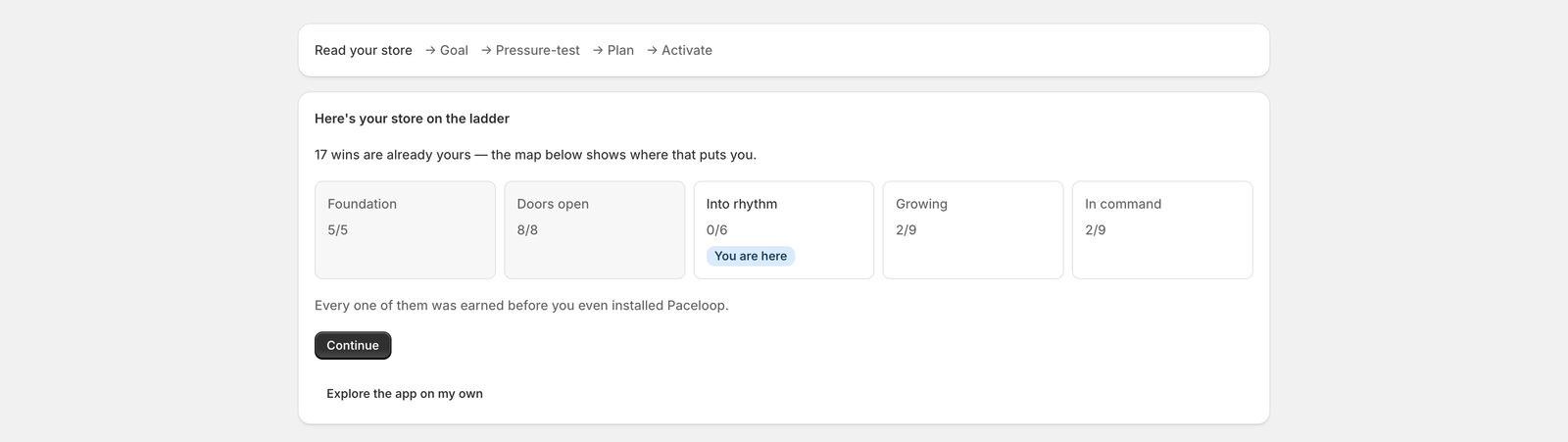
- "Here's your store on the ladder" — your placement on the win ladder. A store with history sees the wins it has already earned light up; a brand-new store sees its starting point.
- "Your next wins, within reach" — the handful of wins the app will watch for next.
- "Now make it a plan" — one first action. If your store has sales history, this is a "Start a cycle" button straight into the setup wizard. If you haven't sold anything yet, it's four quick questions about your store instead ("Tell us about your store"), so the ladder starts from where you actually are.

Every beat carries the same single exit — "Explore the app on my own". Leaving is a real choice: the flow stops steering you, though until your first cycle is live the home page's main button still offers to pick up right where you left off. Until you either start a cycle or step out, the app returns you to this flow rather than dropping you on a home page it hasn't introduced yet.
The welcome flow is not a second setup wizard — nothing you answer there changes your cycle plan. It exists so the app can show you your position before it asks you for a goal.
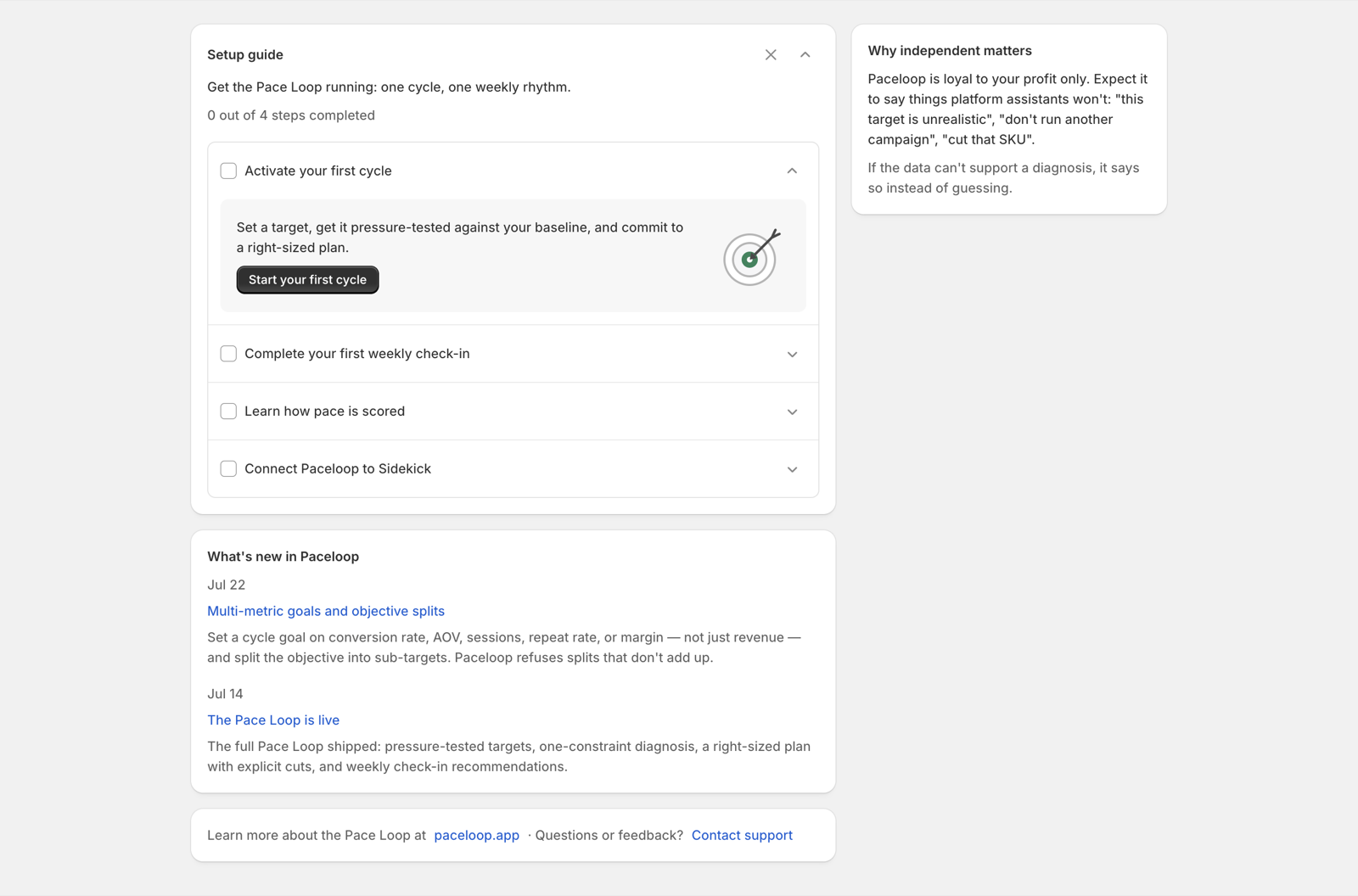
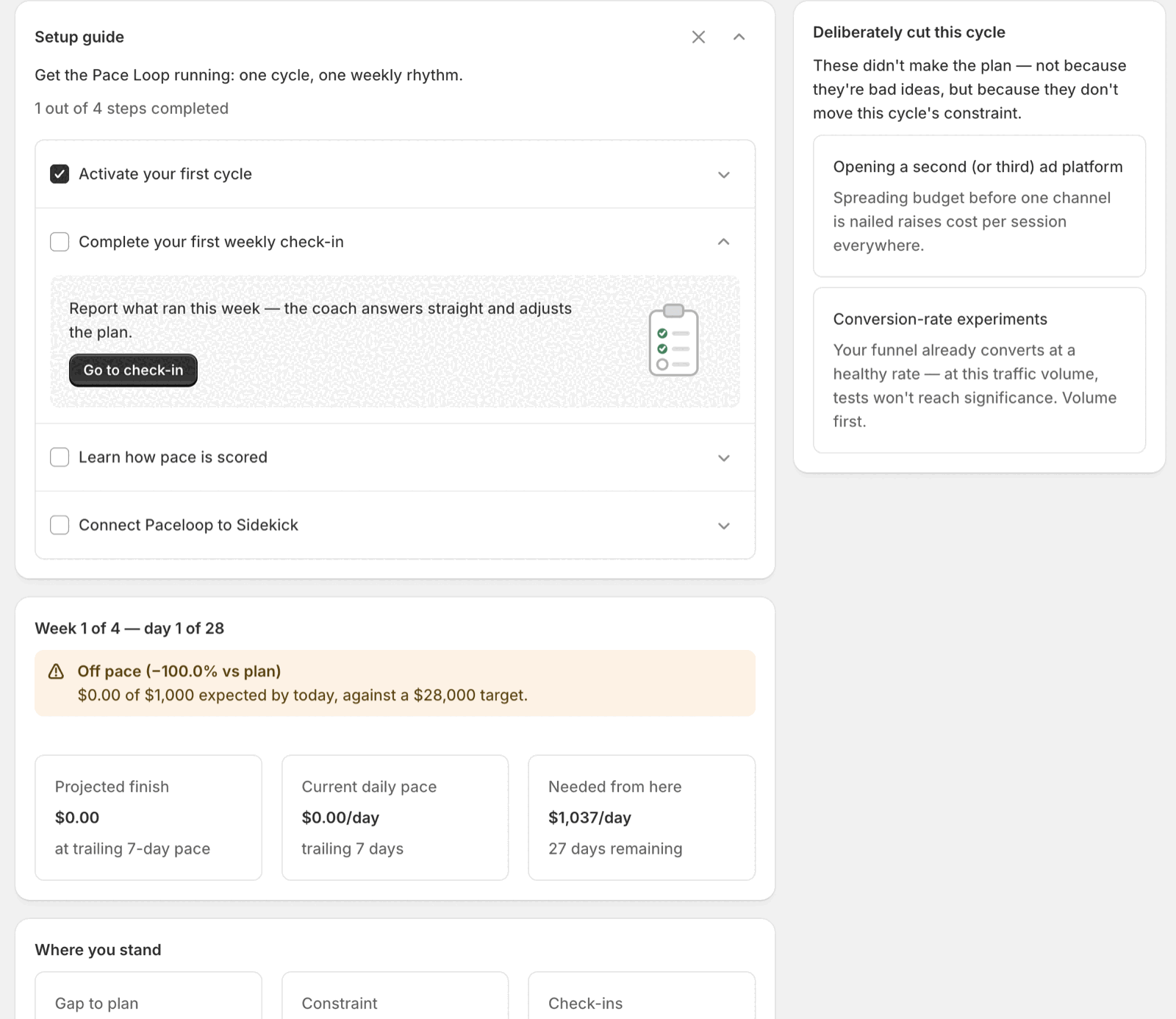
Once you're through it (or stepped out early), the home page takes over with the "Setup guide": four steps, starting with "Activate your first cycle" — this article is that first step; the rest follow from it. If you stepped out mid-flow, the page's main action — "Pick up where you left off" — returns you to the exact spot you left.
Set the cycle goal
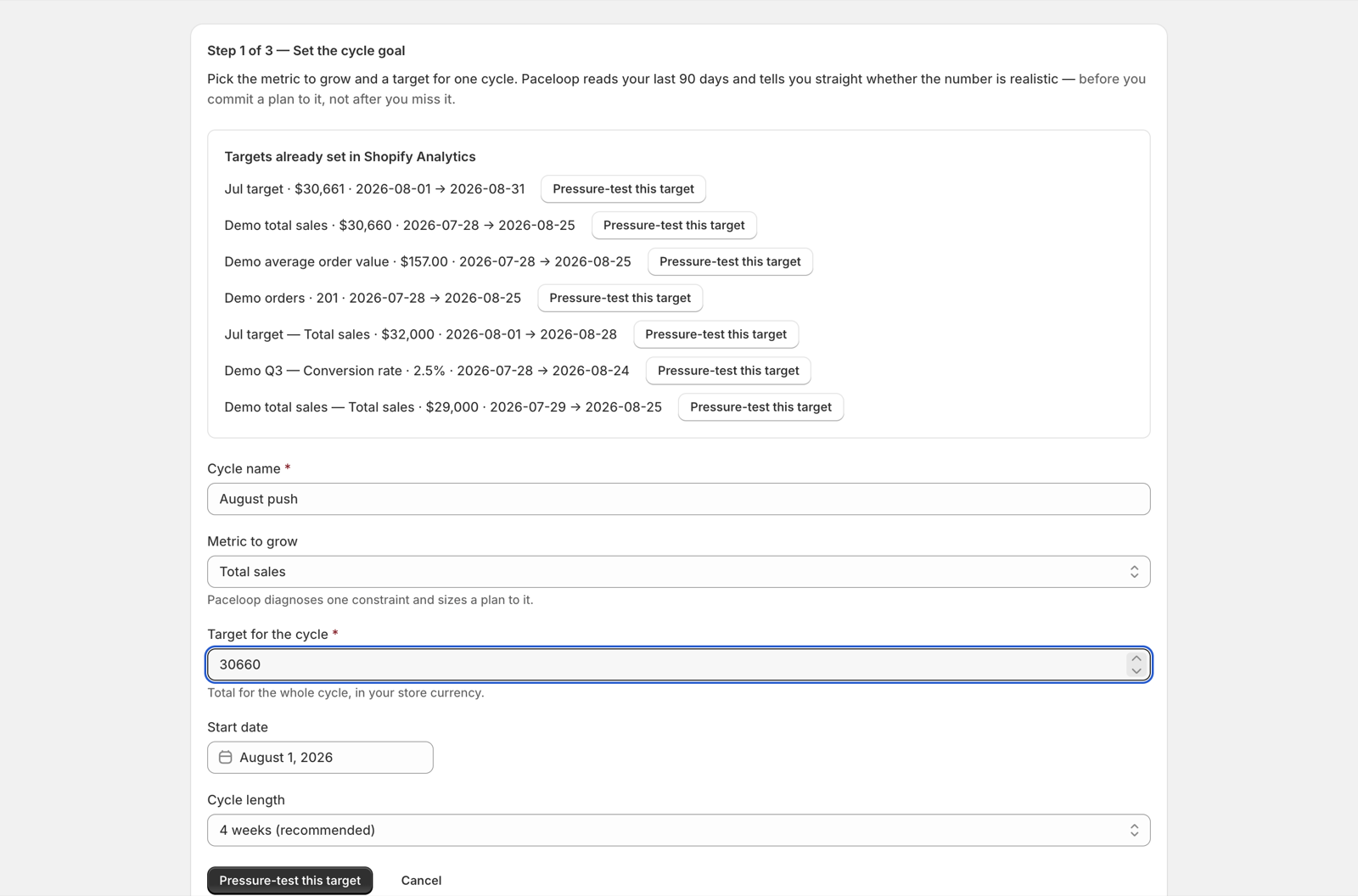
From the welcome flow's last beat — or the setup guide's first step — start a cycle. The wizard's first screen is "Step 1 of 3 — Set the cycle goal": cycle name, the metric to grow, your target, start date, and cycle length.
If you already set targets in Shopify, they appear under "Targets already set in Shopify Analytics" — pick one and the form pre-fills, marked "Seeded from your Shopify target". You don't have to invent a number here; start from what you already aimed at.
Read the pressure-test
Paceloop projects your last 90 days forward and grades your target against that trend. The verdict comes first — from "Realistic" to "Not realistic in one cycle" — followed by the honest read: what lift the target actually requires, and whether any single lever plausibly delivers it.
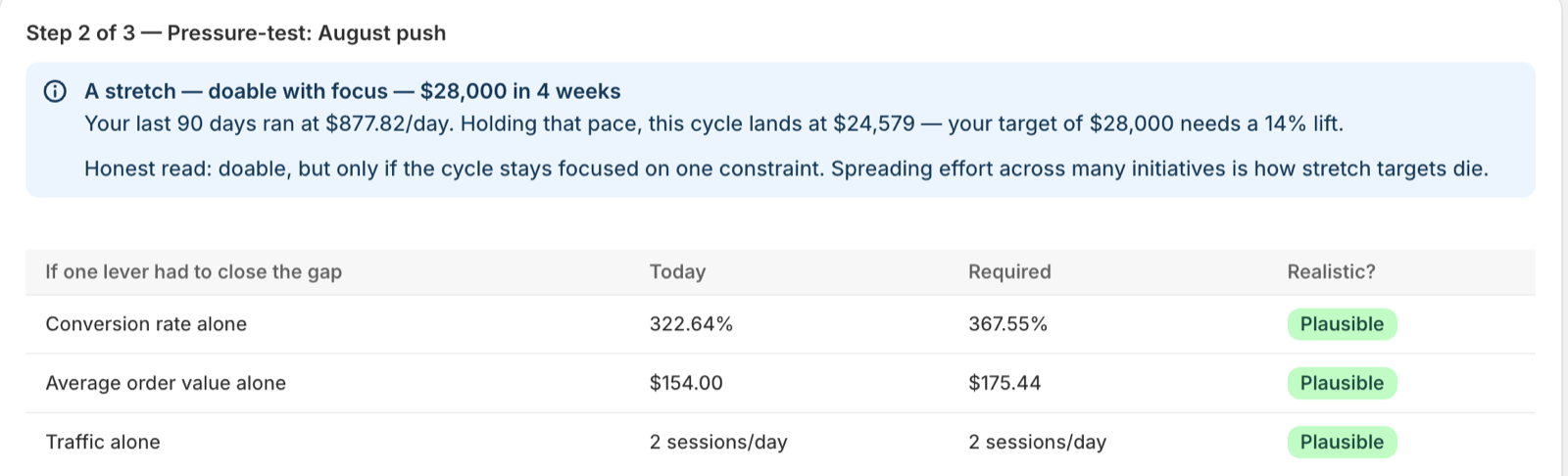
If your target gets flagged, that's the product working, not an error — see why Paceloop flags a target as unrealistic. You are never blocked: "Keep this target — find my constraint" moves you forward with the number you chose.
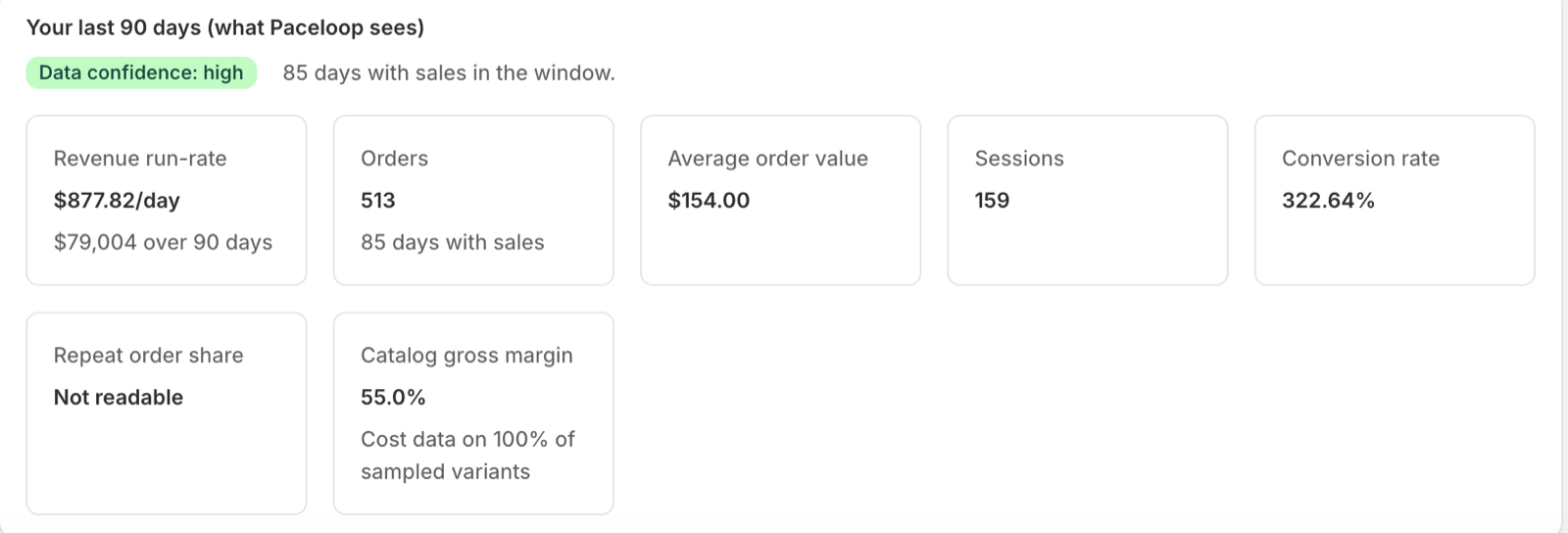
Below the verdict sits "Your last 90 days (what Paceloop sees)" — the exact numbers the analysis used, with a data-confidence badge. Anything Paceloop can't read from your store says "Not readable" instead of showing a made-up value.
Pick your vital behaviors and activate
The plan step is deliberately small: "Vital behaviors — pick 1 to 3". Each behavior is a weekly action aimed at your diagnosed constraint, and next to them sits "Cut from this cycle (recommended)" — the things to stop doing so the plan fits in a real week. Three behaviors is the hard cap; there is no option to pick five.
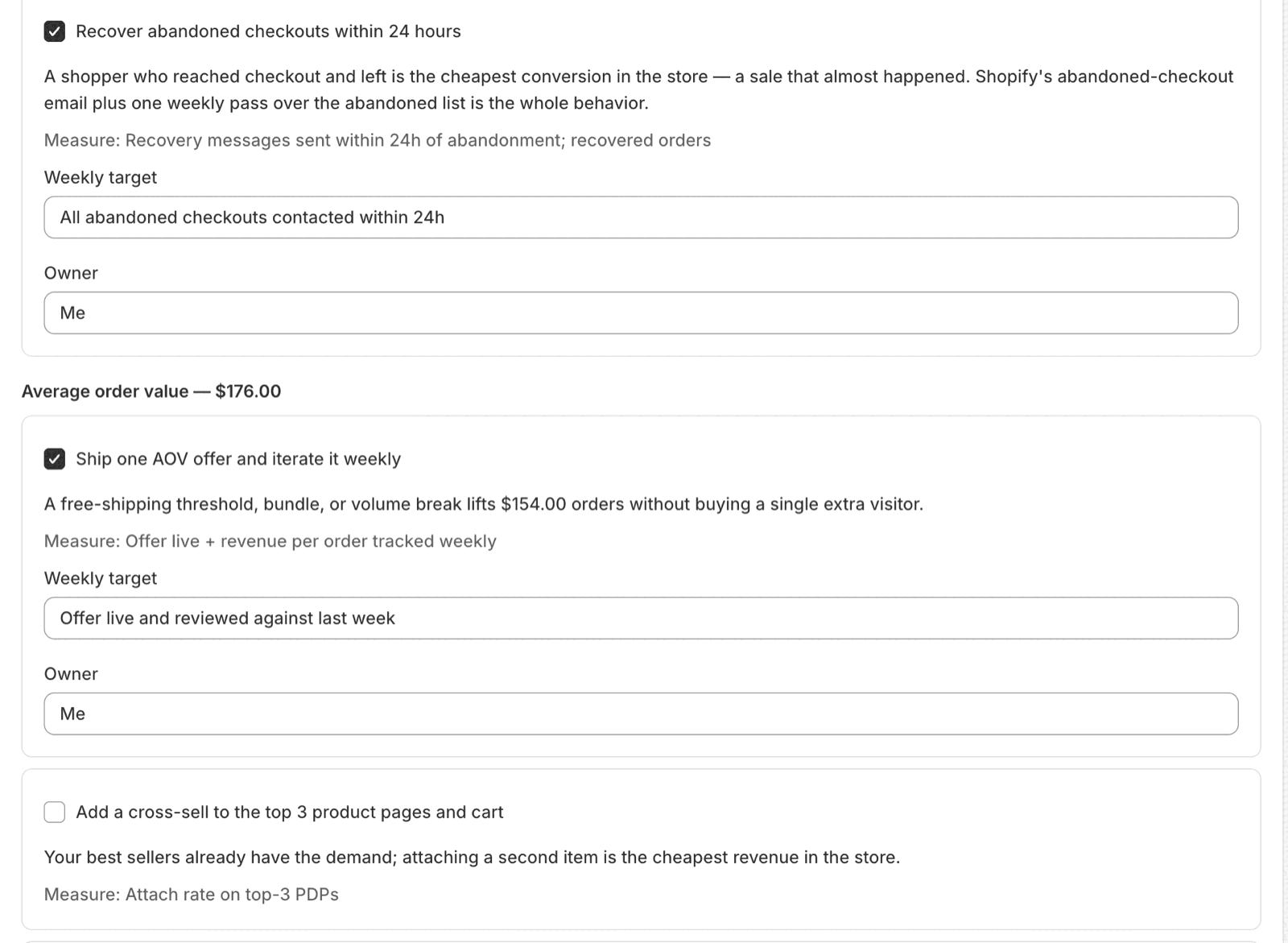
Click "Activate this plan". Two things happen:
- Your cycle goes live — the cycle page becomes your pace scoreboard for the next few weeks.
- If you opted in, your goal is mirrored as a growth target in Shopify Analytics, so the number you committed to shows up where you already look. As the app puts it: "Targets Paceloop creates stay in Shopify even if the cycle ends."
What happens next
Once a week, Paceloop meets you for a check-in: what ran, what didn't, and whether your pace still supports the goal. Activating your plan is where billing starts: the Growth plan is $29/month, with a 30-day free trial if this is your first time subscribing to Paceloop.
The free part is the complete audit — enough to see your diagnosis and plan before paying anything. The 30-day trial then covers a full cycle of the real loop. Billing runs through Shopify; see what's free and what Growth unlocks.
From here the weekly routine takes over: how to do your weekly check-in, how to read your pace scoreboard, and eventually how to close or abandon a cycle.
Curious why the loop is built this way — one goal, one constraint, weekly cadence? That's the method.