How to close or abandon a cycle
Last updated: 1 August 2026
Closing a cycle reads your final number from Shopify, records what you attained against the target, how many check-ins you did, how much of your plan actually ran, and how each sub-target landed — then feeds that record into your next cycle. Abandoning ends the cycle with no summary at all. Both are free for every store, paid or not: ending a cycle is the way out, not part of what Paceloop sells.
Where the buttons are
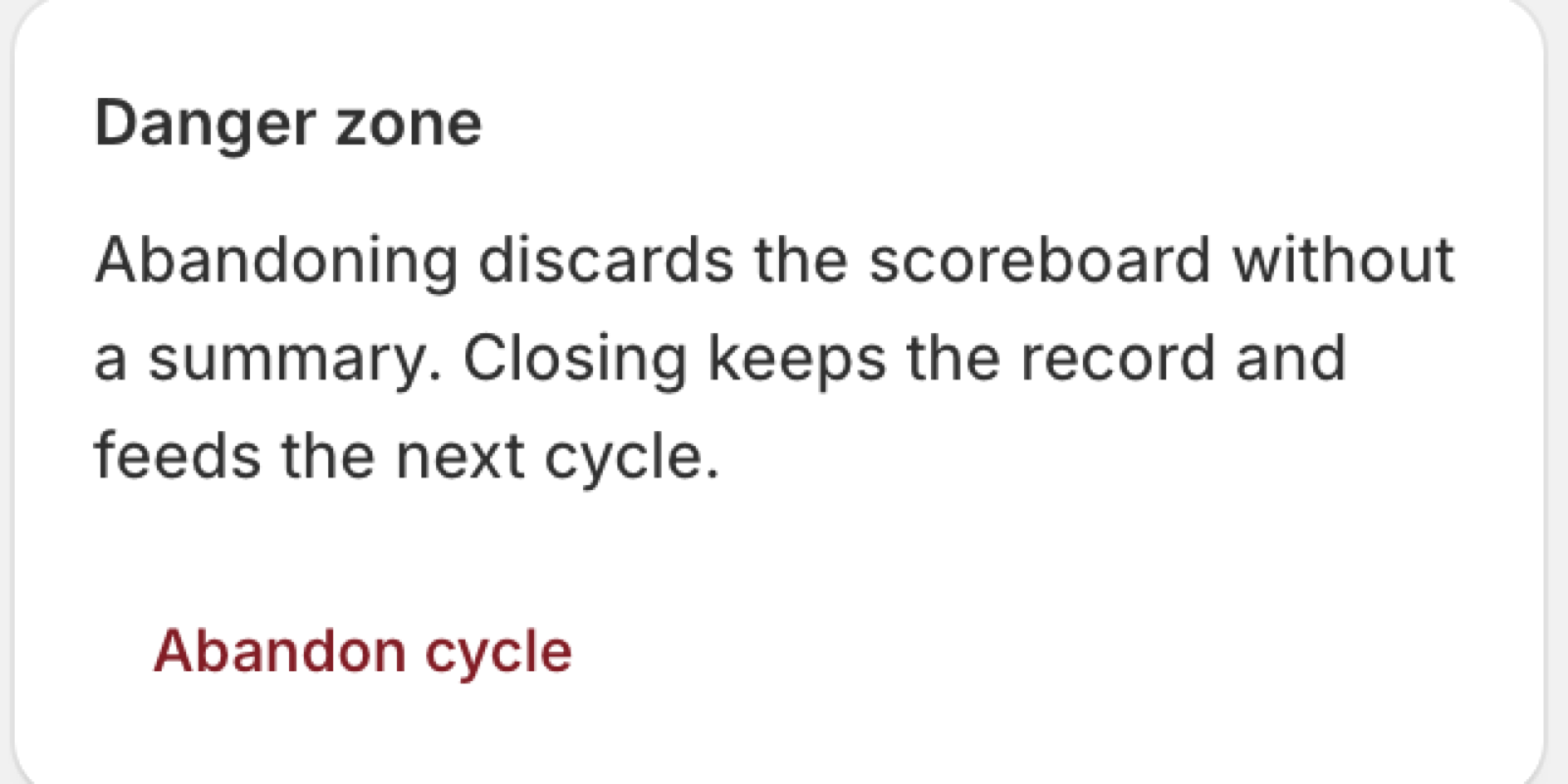
On the cycle page, the primary action reads "Close cycle" once the cycle is past its end date, and "Close cycle early" before that. "Abandon cycle" lives separately, under "Danger zone", with the difference spelled out:
Paceloop also nudges you toward closing rather than drifting. Once the end date passes, the home page shows "This cycle has ended" with "Review & close cycle", and the check-in page refuses to sell you a plan for a cycle that's over — it routes you to close instead.
What closing computes
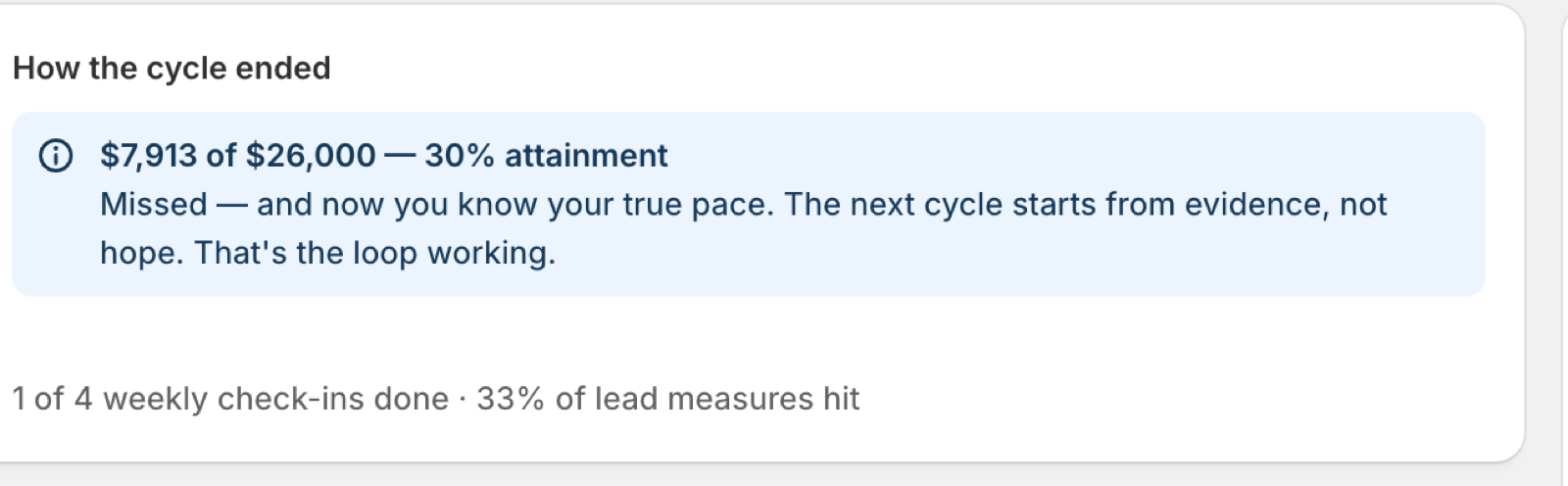
Under "How the cycle ended" you get:
- The final number against the target, in the goal's own unit — "$7,913 of $26,000 — 30% attainment". For a rate goal it's the closing trailing level, not a total.
- A headline that names the outcome plainly (below).
- The discipline line — "1 of 4 weekly check-ins done · 33% of lead measures hit". The second figure is the share of your reported behavior outcomes that were done; if you never reported any, it's left out rather than shown as zero.
The three headlines
Which one you get depends only on attainment, and the wording doesn't soften with the number:
- 95% or above — "Target hit. Bank the playbook — what ran this cycle is now a proven lever for this store."
- 80% or above — "Close miss. The pace was real even where the number wasn't — check what actually ran before blaming the target."
- Below that — "Missed — and now you know your true pace. The next cycle starts from evidence, not hope. That's the loop working."
If you split the objective
A split cycle adds "How the split landed": one line per sub-target with its final number, its target, and its attainment. If a factor couldn't be read at close, the line says so — "couldn't be read at close — target was [your target], no attainment invented" — and no percentage is recorded at all. A missing reading is not a 0% result, and Paceloop won't let the two blur. See how to split one goal into sub-targets.
A sub-target failing to read can never block the close. Only the objective's own reading can.
When the close can't run
If Shopify analytics doesn't answer for the objective, you get "Couldn't close the cycle" with "Couldn't read the final number from Shopify analytics. Try again in a moment." Nothing is written. Try again shortly.
After closing
"Start next cycle" takes you back into the wizard. Your closed cycle then does one specific job there: behaviors you ran before come back carrying a label from your own last cycle — "You kept this last cycle", "You skipped this last cycle", or "Partly done last cycle". See where your plan's behaviors come from.
Every cycle you've run stays listed with its dates, target, attainment, check-ins and status, so a completed cycle remains a record you can go back to.

What ending a cycle does not touch
"Targets Paceloop creates stay in your Shopify Analytics even after a cycle ends — manage them there."
Paceloop never deletes a Shopify Analytics target — not when a cycle closes, not when you abandon one, not when you uninstall the app. A deleted target can't be recovered, so it isn't Paceloop's call to make. Your store's orders and sessions are equally untouched; Paceloop only ever read them.
Close or abandon?
Close if the cycle ran at all, even badly. A missed cycle that gets closed gives you a true pace to plan the next one from, and that is the whole point of running one. Abandon if the cycle was set up wrong — wrong metric, wrong dates, started by accident — and there is genuinely nothing worth recording.
Related: how to do your weekly check-in · how to read your pace scoreboard · what's free and what Growth unlocks