How to do your weekly check-in (and what the coach reply means)
Last updated: 17 August 2026
Once a week you open the check-in and report one outcome per vital behavior — done, partial, or missed — plus what worked and what's blocking you. Paceloop reads your live pace from Shopify and answers with four things: where your pace actually stands, feedback on each behavior, exactly one recommendation, and up to three things to do next week in order. One check-in per cycle week. Nothing is saved until you submit.
The form opens with a line worth taking literally: "Answer honestly — the recommendation is calibrated on what actually ran, not on what was meant to run." A flattering check-in buys you a flattering recommendation.
What the form asks
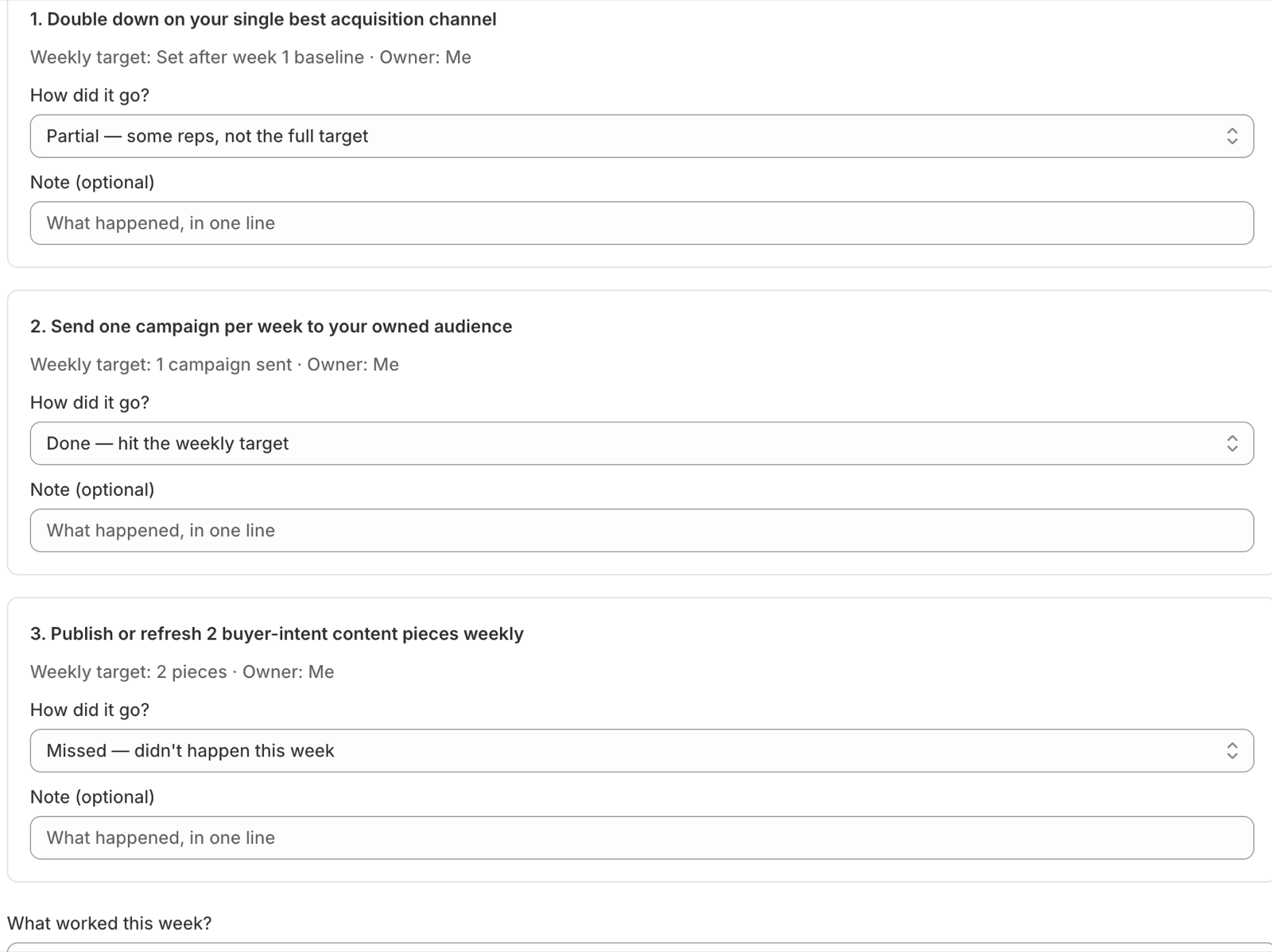
Each behavior gets the same question, "How did it go?", with three options:
- "Done — hit the weekly target"
- "Partial — some reps, not the full target"
- "Missed — didn't happen this week"
Under each one sits a "Note (optional)" field — one line on what happened. Below the behaviors are two free-text questions: "What worked this week?" and "What's blocking you?" Then "Get my recommendation".
If your cycle is watch-only — a metric Paceloop tracks but won't write a plan for — there are no behaviors to answer for, and the check-in is just your pace read plus wins and blockers.
What the reply contains
The reply is computed when you submit and then stored, so it renders in place and doesn't drift afterwards. It has the same four blocks, in the same order, every week.
The pace line comes first. Off pace reads: "Week [n]: off pace ([the gap] vs plan). No sugarcoating — the gap is real." On pace drops the second sentence. The detail line under it puts the numbers side by side.
Then "Your lead measures" — one card per behavior with a "Done", "Partial" or "Missed" badge and a line that responds to that specific outcome. A partial gets: "Partial. Half-done lead measures don't move constraints. Shrink the scope until a full rep fits the week — a smaller done beats a bigger almost." A first miss is treated as noise; a second one in a row isn't.
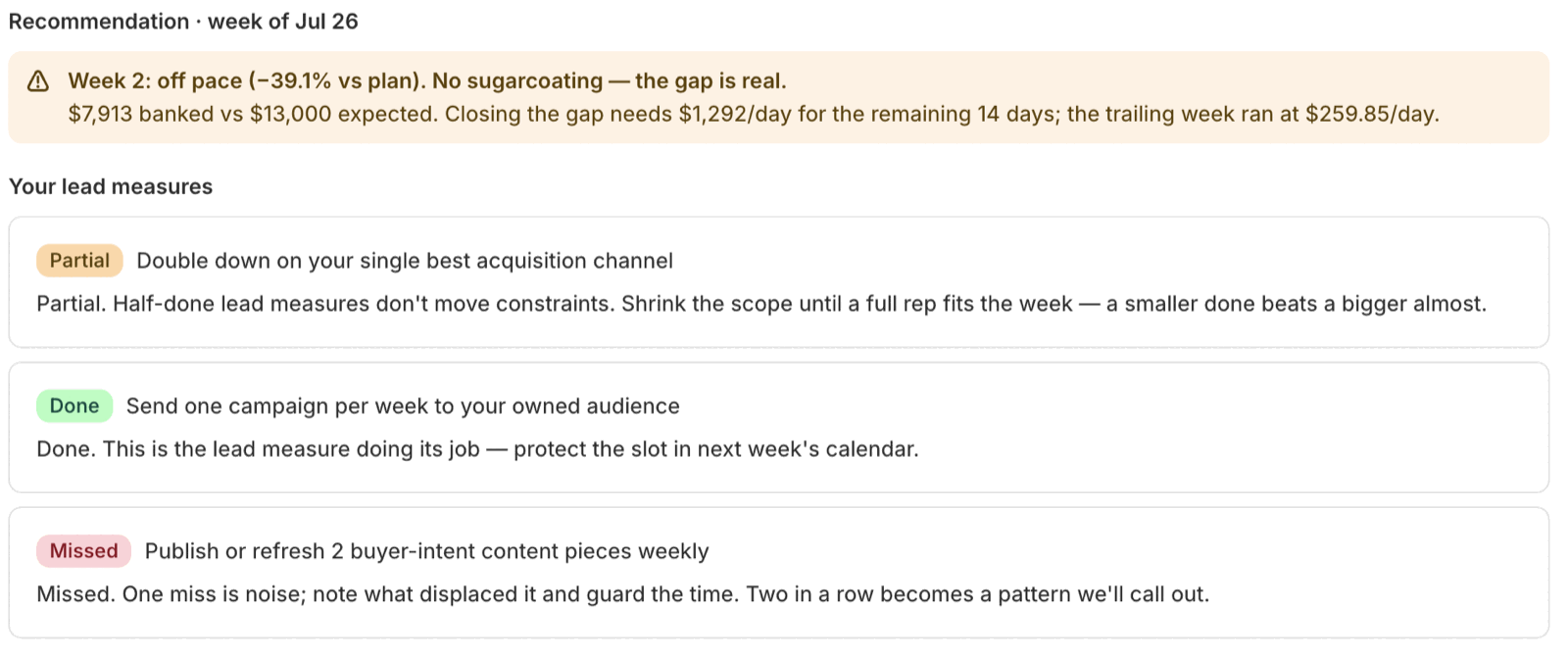
Then exactly one recommendation. Not a list — one. Which one you get is decided by your pace and your outcomes:
- Hold the line — on pace with everything executed. "Recommendation: hold the line. Change nothing."
- Same plan, tighter execution — off pace, or any miss this week.
- Swap or drop a behavior — a behavior missed two weeks running. The coach names it: "A lead measure that keeps not happening isn't a lead measure — it's guilt."
- Revise the target down — you're more than 20% behind and past the cycle's midpoint.
- Rebuild the companion metric — only on rate goals, when the rate improved because its volume shrank. This one outranks everything else.
Then "Next week, in order" — at most three items, the last of which is usually the daily number you have to beat.
When the coach recommends a lower target
Past the midpoint and far enough behind, Paceloop stops coaching effort and starts questioning the number:
"Recommendation: revise the target down." — "A target of ~[the new number] (current pace +10%) keeps the cycle honest and the scoreboard meaningful. Finish strong against a real number, then re-raise next cycle."

The suggested number is your current pace projected to the end of the cycle, plus 10% — so it is still a stretch against what you are actually doing, just not a fiction. "Accept the lower target" applies the number from the stored reply; the button disappears once your goal already matches it. If your goal is mirrored in Shopify Analytics and Paceloop created that target, it updates there too.
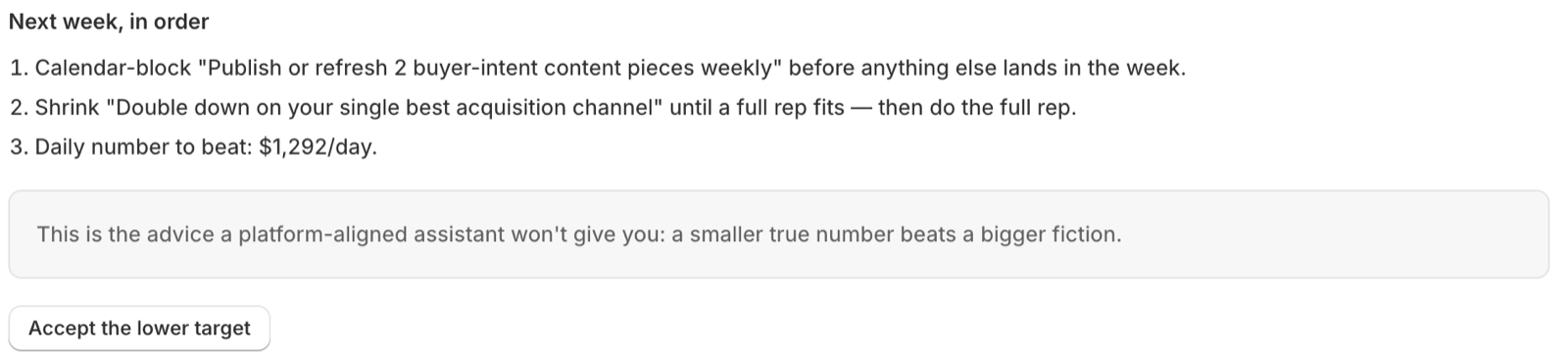
Note what the coach does not do here. It never proposes spending more to close the gap. As the reply itself puts it: "This is the advice a platform-aligned assistant won't give you: a smaller true number beats a bigger fiction."
When Paceloop won't grade the week
If your cycle grades a weekly rate and the week had too few events — under about 30 — you get a refusal instead of a verdict: "too little volume to grade [the metric] honestly", because "A weekly rate off a handful of events swings on luck, not on your work". No recommendation to revise fires on a week like that. See what "Not readable" means.
If you miss a week
There is no back-fill. Skipped weeks are counted and surfaced once, under the heading "Welcome back": "[n] earlier weeks went unchecked. That's gone — this week isn't. Answer for the last 7 days and the loop is alive again."
Where the free part ends
The audit — setting your goal, the pressure-test, meeting your diagnosed constraint — is free for every store. Check-ins run on an active cycle, and activating a cycle is what starts the Growth plan: $29/month, with a 30-day free trial for first-time subscribers. If your subscription lapses mid-cycle, your next check-in pauses and the app says so plainly — nothing is deleted, and picking a plan again continues where you left off. Closing a cycle is never gated — see how to close or abandon a cycle.
Related: how to read your pace scoreboard · what your diagnosis means · set up Paceloop from scratch